

Third-party extensions are the part of your store you control least
Most Magento stores add features by installing third-party extensions. That code runs with the same power as the core system, but the company that made it decides when it gets updated — and sometimes whether it gets updated at all.
This article shows you how to check whether your extensions are current, whether they work with your version of Magento, and whether they have known security problems.
We will use a tool called Composer to list what is installed, find outdated and unsafe packages, and spot the hidden rules that quietly block your next upgrade.
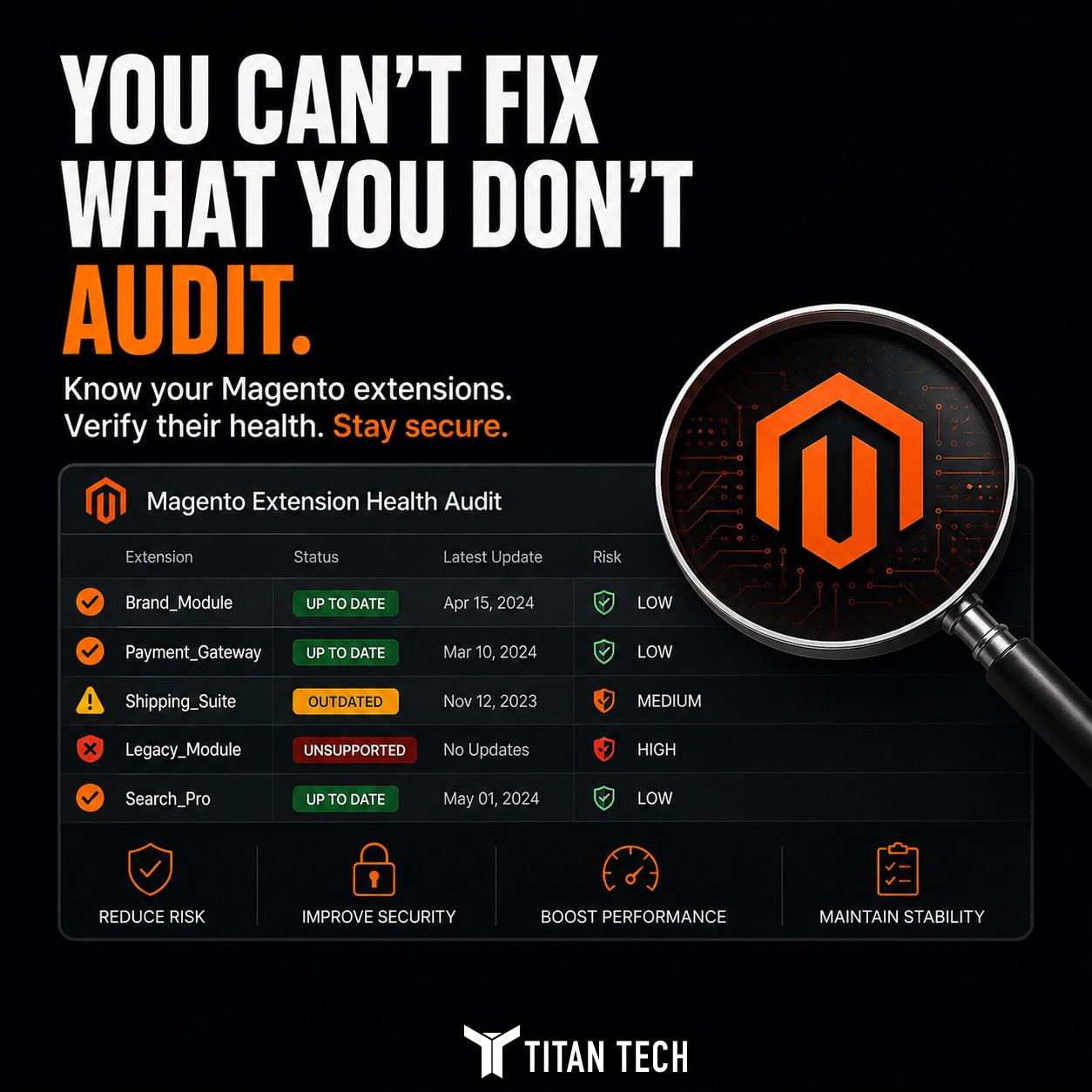
What "extension health" actually means
Health is not just whether the extension works today. A package can look fine on your storefront and still be a risk.
Three things matter, and they are separate from each other:
- Is it current? Is there a newer version you have not installed yet?
- Is it compatible? Does it work with your Magento version and PHP version, or is it holding you back?
- Is the vendor still around? Is anyone still fixing bugs and releasing updates?
An extension can be current and still come from a company that has gone quiet (commonly known as "the dead vendor"). It can work today and still block the upgrade you need next quarter. Check all three.
List what you actually have
The list of what you asked for lives in a file called composer.json. The full list of what is actually installed, including extra pieces pulled in automatically, lives in composer.lock.
Start by listing every installed package and separating the third-party ones from Magento core:
composer show | grep -v '^magento/'What remains is your third-party code. Every one of those packages was written by someone outside your team and ships on their own schedule.
vendor/ folder is not automatically safe just because Composer installed it. Composer tracks versions. It does not check whether the company behind the code still exists.Find outdated packages with composer outdated
Composer can tell you which of your direct dependencies have newer versions available. Limit it to direct dependencies so the output stays easy to read.
composer outdated -DComposer color-codes the result. Yellow means a safe update is available. Red means the newer version is a major change that your current setup will not allow.
A package stuck several major versions behind, with a red line next to it, is the first thing to look at closely. Either the vendor changed how it works and nobody updated your store, or someone froze the version on purpose and forgot about it.
Run composer audit for known security problems
Outdated is not the same as unsafe. A package can be one small version behind and perfectly fine, or fully current and still have a known security hole.
Composer 2.4 and later checks your composer.lock file against a public list of known vulnerabilities:
composer auditThis is different from checking whether core files have been tampered with. Audit checks the versions you declared against known security problems in those versions.
An extension with a known security hole and no fixed version available is not an update problem. It is a replace-or-remove decision, and it should be treated that way.
The version-constraint trap
The most expensive extensions are the ones that stop your whole platform from moving forward. A single package that requires an old version of Magento or an old version of PHP can hold your entire store on a version you need to leave.
Composer can tell you exactly which package is standing in the way:
composer prohibits magento/framework 103.0.7The output names every installed package whose rules conflict with the version you want. When a Magento 2.4.x upgrade fails, this is usually where the real blocker is hiding.
Signs a vendor may have gone quiet
Whether the company behind an extension is still active is harder to check than versions or security holes, but several signs are reliable. None of these is decisive on its own. Read them together, and treat a package that trips several as a package without a maintainer.
Composer marks it abandoned
A package flagged "abandoned": true prints a warning every time you run composer update. That is the vendor telling you directly to stop using it, sometimes with a suggested replacement.
No release in years
Check the last release date on Packagist or the Commerce Marketplace. A package with no update since the Magento 2.3 era is not keeping up with current Magento or PHP, whatever the product page still claims.
Pulled from the Marketplace
An extension whose Marketplace listing no longer exists has lost its store shelf. You will not get the next security fix through the normal update path, and neither will anyone checking the vendor for you.
No stated 2.4.x support
If the vendor page and the package composer.json never claim compatibility with your Magento version, you are running it on hope, not on a promise.
A dead repository or support channel
For open-source packages, check the public code repository: unanswered issues, no commits in a year, and stale pull requests all say the same thing. For paid ones, an unanswered support ticket is the same signal in a different place.
Encrypted or license-locked code
Extensions shipped as encoded files or tied to a license server that phones home cannot be read, patched, or taken over if the vendor disappears. That is fine while they are maintained and a dead end the day they are not.
Turn the findings into a ranked decision
A list is only useful once it is ordered by risk. Rank each extension by what it exposes, not by how visible it is.
The packages to act on first are the ones that have a known security hole, block a needed upgrade, come from an abandoned vendor, or hook deeply into checkout and core features. Everything else can wait.
From there each package leads to one of four outcomes: update it, replace it, isolate it, or remove it. The Composer output tells you which one the facts support.
Why this belongs in every platform review
Your third-party extensions are the code you check least and trust most. A store carrying a handful of unmaintained, upgrade-blocking, or unsafe packages is running risk it has never measured.
Running composer outdated, composer audit, and composer prohibits takes an afternoon and turns that unknown into a ranked list. Knowing which extensions are safe, which are stale, and which are actively holding the platform back is where a real upgrade or security plan begins.