

A cache that keeps getting cleared cannot stay fast
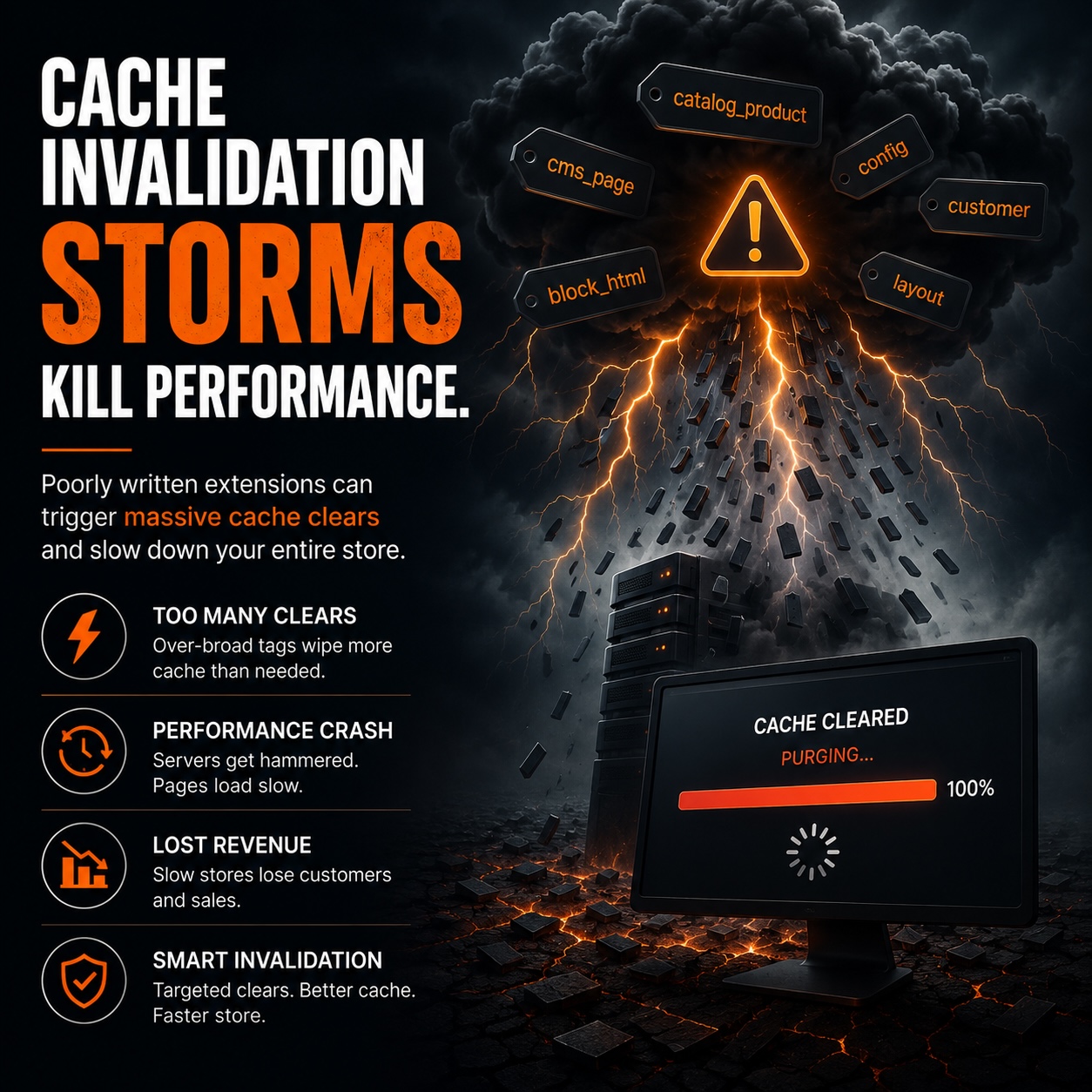
A well-configured Magento cache can still perform poorly if another process keeps invalidating it. A cache that is cleared every few minutes has little time to help the store.
These invalidation storms can be hard to see. The cache is enabled and the average hit rate may look fine, yet the store slows down during imports, price updates, or work from a specific extension.
This article explains how Magento invalidation works, what turns normal invalidation into a storm, how Redis and full-page cache increase the impact, and how to find the source.
How Magento invalidates cache
Magento caches use tags. Each cached block and page stores the identities of the entities it depends on. A product page, for example, carries the cache tag for that product.
When an entity is saved, Magento invalidates every cache entry with that identity. Saving one product clears cached pages that show that product. This keeps customers from seeing old data.
This system works well when saves are occasional and targeted. It creates trouble when a process saves many entities at once or invalidates a much larger set of entries than the change requires.
What an invalidation storm looks like
An invalidation storm is a burst of cache clearing that is large enough to hurt performance. Instead of a few pages being cleared, a large part of the cache disappears in a short time.
The storefront then rebuilds those pages from the origin. That work is slow and expensive. If the burst repeats on a schedule, the store has little time to build a warm cache.
Use a targeted clean instead of a full flush
Magento has two different cache operations. A clean removes entries with specific Magento tags. A flush removes all entries from the cache storage.
The command-line versions are cache:clean and cache:flush. A flush clears everything, including entries that other applications may share in the same backend. It forces the store to rebuild the cache from an empty state.
A storm can start when code uses a full flush for a change that a targeted clean would handle. One product save that triggers a full flush can clear the entire cache.
Mass saves can trigger a storm
The most common storm source is a process that saves many entities in a loop. Product imports, bulk price updates, and inventory syncs work this way.
Each save invalidates its own cache tags. Thousands of saves in quick succession can invalidate thousands of cache entries. Even targeted invalidation can clear a large part of the cache when the number of saves is high.
That explains why the store often slows down during imports and overnight price rule runs. The process is doing valid work, but its cache changes spread across the store within a few minutes.
Full-page cache and Varnish bans
Full-page cache shows the effects of a storm quickly because it stores the rendered pages customers receive. With Varnish, invalidation uses bans or purges based on cache tags.
A broad tag invalidation tells Varnish to ban many cached pages. Varnish must then fetch a fresh copy from the origin when a customer requests each banned page.
When a mass save bans a wide set of pages, the origin starts serving full-cost responses. The sudden increase in origin work is a visible sign of the storm.
Redis handles the invalidation work
Magento stores cache tags in Redis sets. Each set maps a tag to the cache entries that carry it. Invalidating a tag requires Redis to find that set and remove every entry in it.
A broad invalidation touches many tags and entries. That is real work for Redis. During a storm, Redis CPU can spike as it processes many tag invalidations, and requests waiting on the cache can slow down.
Storms show up as Redis and origin spikes that line up with a scheduled job instead of customer traffic.
The cache miss stampede that follows
An empty cache is one problem. The rush to refill it is another. When many requests reach the same newly invalidated pages at once, they all miss the cache and try to rebuild those pages from the origin.
This is a cache stampede. It can overwhelm the origin beyond the level caused by steady traffic. The origin does the same page-building work again for several requests at the same time.
A storm followed by a stampede can turn a background import into customer-facing slowness. The invalidation empties the cache, and the stampede adds more work while the origin tries to fill it again.
Extensions can invalidate too much
Some extensions clear more cache than their changes require. An extension that flushes the full cache after changing one setting, or clears broad tags for a narrow change, can create a storm from a small action.
Flushing everything is often a shortcut in extension code. It avoids the work of finding the exact tags to clear, but it also clears content that did not change.
If performance dips line up with activity from one extension, review that extension's invalidation behavior. Ask the vendor to narrow the tags it clears or isolate when the extension runs.
Reindexing can trigger invalidation
Magento links indexing and cache invalidation through its materialized view system. When indexers run, they process changelog tables that record what changed and invalidate the related cache entries.
A large batch of catalog changes creates a large changelog. Processing it can invalidate a large set of cache entries. A catalog update and the reindex that follows can produce a storm without an explicit flush.
Keep indexers on schedule and keep change batches within a reasonable size. This limits how much one reindex invalidates at once.
Configuration saves can flush the cache
Some Admin actions invalidate much more cache than they appear to. Saving certain configuration, or changing any setting in an extension that clears the full cache, can start a broad flush from one click.
The action looks small. An Admin user saves a setting, but the store clears a large part of its cache and starts rebuilding from an empty state.
A configuration save during peak traffic can start a storm. Identify which actions flush broadly so you can schedule them safely or fix the code that clears too much.
Warm the cache after a flush
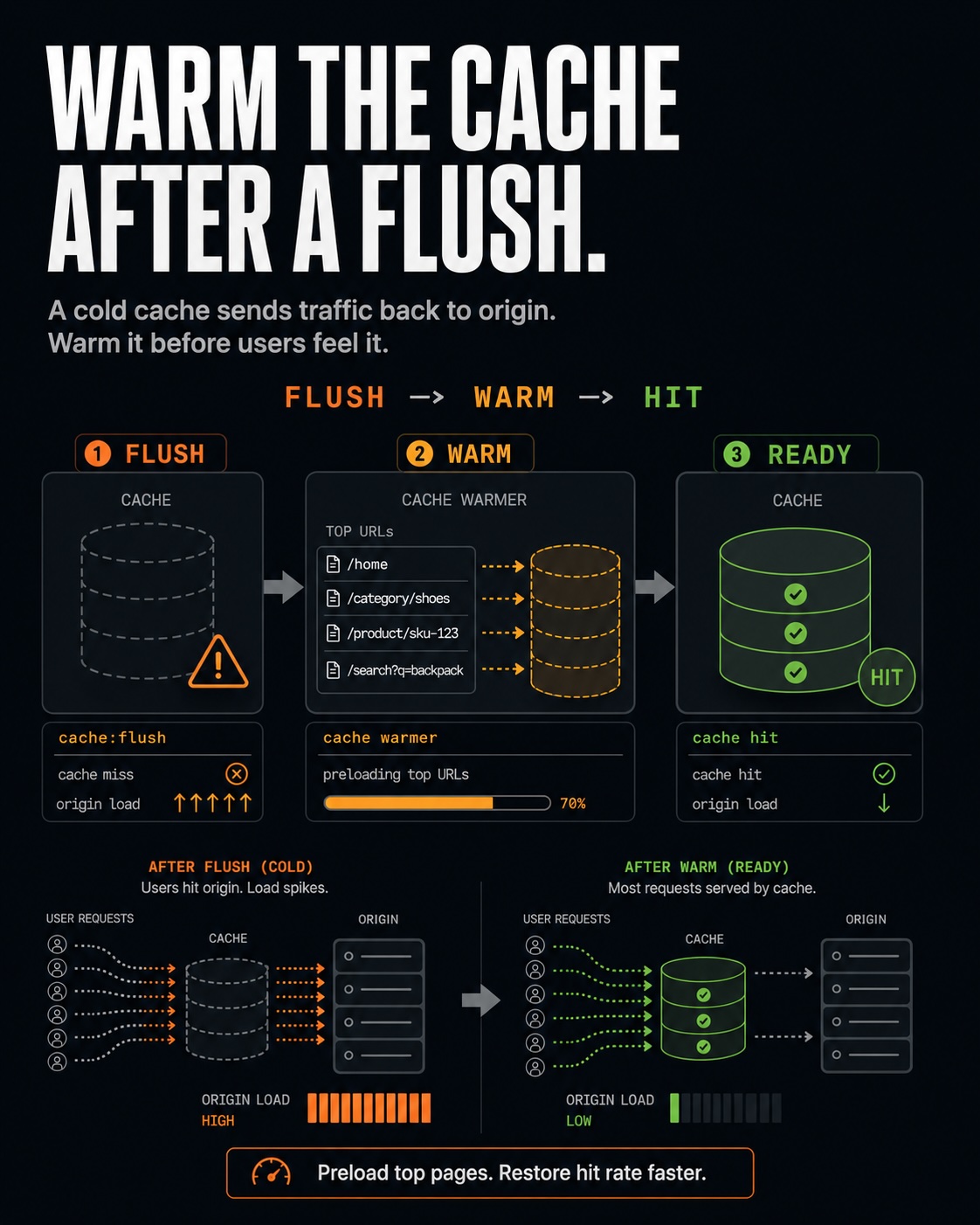
An empty cache stays slow until it warms again. Warming takes customer traffic or a deliberate crawl. Right after a flush, every page is a miss, so the origin serves full-cost responses until the cache refills.
The minutes after a deployment or flush can be the slowest time for customers. The cache has no entries to reuse, so the origin handles all the work.
Some teams use a crawler after a flush to request key pages. This fills the cache before many real customers arrive. Without a warm-up step, the first visitors pay the rebuild cost.
Shared cache backends expand the impact
When several application instances or environments share one Redis backend, a flush from one can affect all of them. cache:flush is risky in this setup because it wipes the entire storage, including entries for other stores.
cache:flush on a shared Redis backend can give every connected store a cold cache. It can affect stores you did not intend to change. Use targeted cache:clean to keep the impact contained.The safer setup gives each instance its own cache database. If a backend must be shared, use clean instead of flush and confirm which data each operation can remove.
Tag granularity controls the impact
The tag design determines how narrowly Magento can invalidate the cache. Blocks declare their cache identities, and Magento uses those identities as invalidation tags.
Coarse tags cause a small change to invalidate a large set of entries because many items share one broad tag. Fine-grained identities let Magento clear the affected entries and leave the rest of the cache warm.
Custom blocks and extensions with overly broad identities can make targeted invalidation impossible. Review tag design when one change clears a large part of the cache.
Tag granularity controls how much cache Magento clears for one change.
How to diagnose a storm
A storm has a timing pattern. If performance drops on a schedule instead of during traffic peaks, a background process may be responsible.
Track the full-page cache hit rate, Redis CPU, and origin response time together over a day. A storm appears as matching spikes when imports, price rules, or a specific extension run. The hit rate drops soon after.
Compare those spikes with the cron schedule and import logs. This often identifies the job that caused the storm. Once you know the job, you can choose how to reduce its impact.
Redis statistics can help confirm the pattern. They show keyspace activity and evictions. Watch them during a suspected storm to see whether a burst of invalidation is happening at that time. This turns a report that "the store feels slow during imports" into evidence about the cache.
Plan for deploy-time flushing
Deployments flush the cache by design because new code and templates must not serve stale output. This is expected, but it leaves the store with a cold cache after each release.
Handle the cold cache with timing and warming. Deploy during low traffic, then warm key pages. This keeps the post-deploy rebuild away from the busiest customer traffic.
Frequent deployments during peak hours can turn a normal flush into a recurring storm. Batch releases and schedule them carefully.
Queue-based invalidation can spread a storm
Some invalidation flows through the message queue instead of happening during the original action. Bulk actions and other operations add work to the queue. Consumers invalidate cache as they process that work.
This can spread invalidation over time. A large backlog can also create a short, intense burst when consumers process it. A queue that suddenly drains a large batch can produce the same storm as a direct save loop.
Watch consumer activity beside the cache metrics. An invalidation spike that matches a consumer draining its queue points to asynchronous invalidation.
Content tools add cache identities
Content tools such as Page Builder store rich content with its own cache dependencies. Complex content blocks can reference many entities, and each reference becomes a cache identity that Magento can invalidate.
A page made from many dynamic blocks has a broad set of cache tags. Changes can then affect more entries than they would on a simple page. Extensions that add dynamic content components increase the number of identities tied to a page.
Rich content can stay in use when the team understands its cache footprint. Content that references many entities can invalidate entries for all of them, so include those dependencies when investigating a storm.
Storms consume origin capacity
Every storm uses origin capacity. Pages that the cache could serve instead run through the full application stack. That consumes PHP workers, database connections, and CPU.
The cache exists to keep origin load manageable. A store that keeps clearing the cache forces the origin to do work it was sized to avoid.
How to calm the source
The fix depends on the cause. In general, invalidate less often and schedule heavy invalidation away from peak traffic.
- Batch and schedule heavy operations for off-peak hours, so the storm and stampede occur when traffic is low.
- Use targeted
cache:cleaninstead of fullcache:flushin code you control. - Ask extensions that clear too much cache to narrow their tags, or isolate when they run.
- Keep indexers on schedule and change batches within a reasonable size, so one reindex does not invalidate a huge set at once.
These steps keep invalidation in place for correctness. They reduce its scope and move heavy work away from peak traffic, turning a storm into routine cache maintenance.
Varnish grace mode softens a storm
Varnish grace mode reduces the impact of a storm without removing its cause. It lets Varnish serve slightly stale content while fetching a fresh copy in the background.
With grace enabled, a customer requesting a recently invalidated page can receive the stale version immediately. Varnish refreshes the page in the background. This helps prevent a cache miss stampede in which every request waits on the origin at once.
Grace is a safety net. It can keep a storm from becoming an outage, but over-invalidation still creates stale content and repeated background fetches.
Keep the cache warm
An invalidation storm means a cache is being cleared too broadly, too often, or at the wrong time. The visible slowdown comes from the workload and configuration behind the cache.
Once the source is known, the fix is usually clear. Move a job off-peak, narrow what an extension clears, or replace a full flush with a targeted clean.
Track what invalidates the cache, how broadly it clears entries, and when it runs. That turns periodic slowdowns into a specific cause the team can fix.