

The mechanism you choose is a maintenance decision
Magento 2 gives you three main ways to change core behavior from a custom module: a preference, a plugin, or an observer. They are not interchangeable, and picking the wrong one is how modules become fragile.
The choice is not about what works today. All three can produce a feature that passes QA. It is about what survives the next upgrade, and what another developer can safely touch a year from now.
This article covers what each mechanism does, when it is the right tool, and the anti-patterns we flag when auditing custom code.
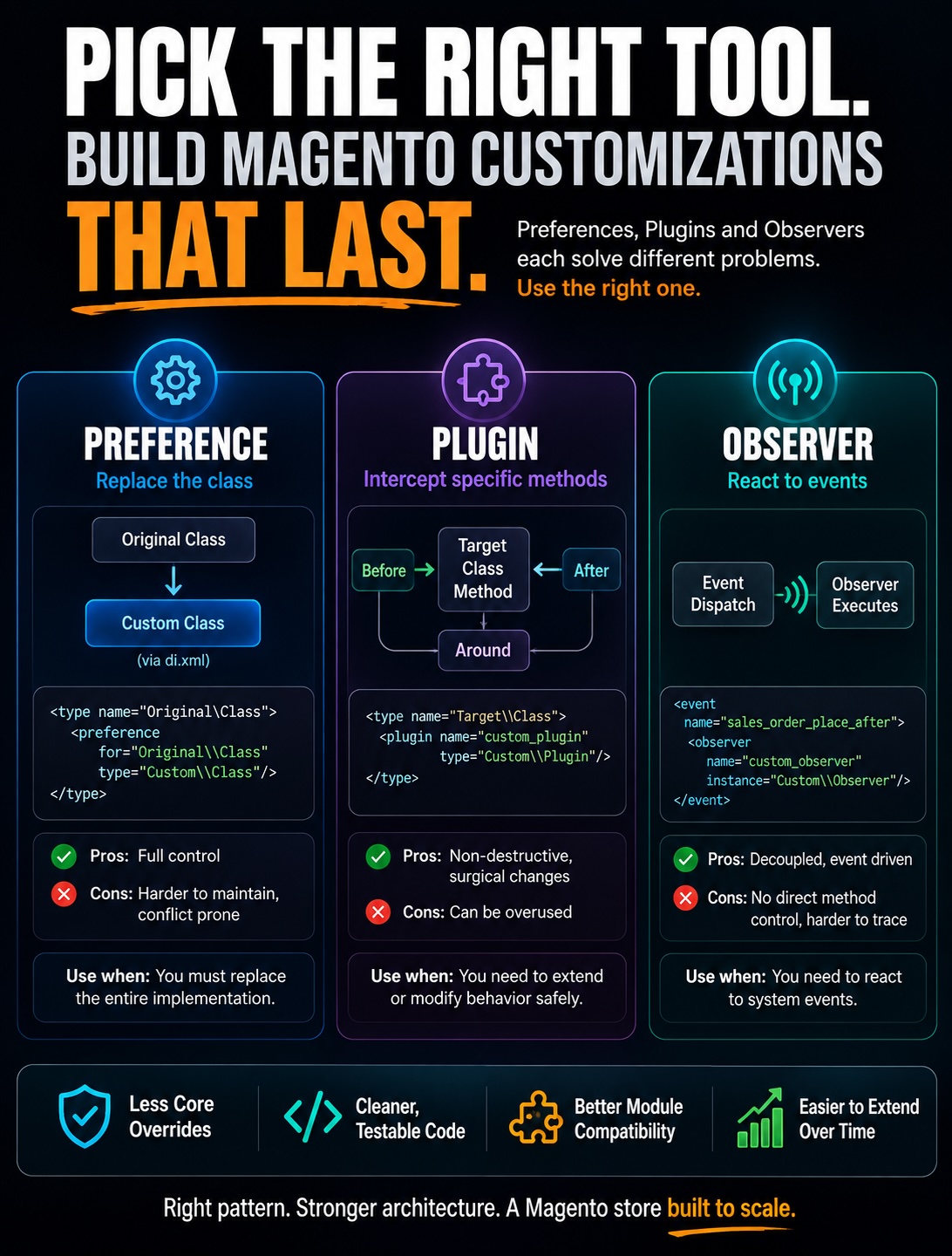
Preference: total replacement, total risk
A preference in di.xml tells Magento to swap one class for another everywhere it is used. It is the closest thing Magento 2 has to the old class rewrites from Magento 1.
Only one preference can win for a given class. If two modules declare a preference for the same class, they conflict, and the loser is silently ignored.
A preference also replaces the whole class, so you inherit responsibility for every method in it. When Magento changes that class in an upgrade, your replacement does not get the change, and behavior quietly diverges.
Plugin: the right default for most changes
A plugin, also called an interceptor, wraps a public method without replacing its class. It comes in three forms: before, after, and around.
Reach for after when you need to modify what a method returns, and before when you need to adjust its arguments. Both are cheap, readable, and coexist with other plugins on the same method.
Use around only when you genuinely must control whether the original method runs at all. An around plugin that forgets to call $proceed() silently breaks every other plugin in the chain, which is one of the most common defects we find.
Plugins have limits worth knowing. They cannot intercept final, private, or static methods, and they do not fire on objects created without dependency injection.
There is also a small performance cost. Every intercepted class gets a generated interceptor, and a method wrapped by many plugins runs through all of them on each call. It is rarely a bottleneck, but stacking a dozen around plugins on a hot path is worth avoiding.
Observer: for reactions, not mutations
An observer listens for an event dispatched somewhere in the code and runs in response. It is the right choice for a side effect: send a notification, write a log entry, sync data to another system.
The trap is using an observer to mutate core state, especially during checkout. An observer that quietly changes the quote or order while reacting to an event creates bugs that are very hard to trace, because the mutation happens far from the code that appears to own it.
If you find yourself changing the subject of an event inside an observer, a plugin on the relevant method is almost always the correct tool instead.
A simple decision order
Most customization decisions resolve quickly with a short order of preference:
- Need to react to something that happened, without changing the original flow? Use an observer, if a suitable event exists.
- Need to change the input or output of a public method? Use a plugin, preferring
after, thenbefore, thenaround. - Need to replace behavior with no plugin seam available, and you accept the upgrade risk? Use a preference, as a last resort.
The order matters because it moves from least invasive to most. Start at the top and only move down when the mechanism above genuinely cannot do the job.
What we look for when auditing custom modules
The mechanism mix in a module tells us a lot before we read a single line of business logic. A few patterns reliably predict trouble:
- A high count of preferences, each of which is upgrade risk waiting to surface.
aroundplugins that never call$proceed(), or call it conditionally in ways that break the chain.- Observers that mutate quote, order, or customer state instead of just reacting to it.
- Multiple plugins stacked on the same method with no explicit
sortOrder, leaving execution order to chance.
None of these is automatically wrong. Each is a place to look closely, because it is where a well-meaning shortcut usually turns into a maintenance liability.
The cost is paid later
The right mechanism rarely changes what a feature does today. It changes how much the feature costs at the next upgrade, and whether it fails loudly or silently when the platform moves underneath it.
Knowing which of your custom modules took the fragile path is one of the clearest predictors of upgrade cost. Ranking that risk across the codebase is exactly the kind of finding a structured platform review is built to produce.